How to Program Jeep Garage Door Opener in 8 Easy Steps
Many Jeep owners know the frustration of trying to program their garage door opener—it’s a common headache. You’re not alone if you’ve struggled with getting the system to work smoothly.
Luckily, programming your Jeep garage door opener is easier than you think, and we’re here to guide you through each step.
To program your Jeep garage door opener in 8 easy steps, start by preparing your vehicle outside the garage with the engine running and clear any existing HomeLink codes.
Identify if your opener uses rolling or fixed codes by checking for a learn button.
Then, hold your remote near the HomeLink button and follow the specific steps for your system—press the garage’s learn button, then hold the HomeLink button until it signals successful pairing.
If issues arise, troubleshooting and alternative methods can help; all the details are here to guide you through each step seamlessly.
Key Takeaways
- Prepare your vehicle and garage by clearing any codes. Make sure the signal is strong and locate the garage door’s learn or smart button.
- Find out if your garage opener uses rolling or fixed codes. This helps you choose the right programming method.
- Hold your remote close and press both it and the HomeLink button. Keep holding until the indicator light changes.
- Next, press the garage door’s learn button. Then, press and hold the HomeLink button until it flashes or changes.
- Finally, test the system outside the garage. Make sure it works properly and make adjustments if needed.
What Is the Jeep Garage Door Opener System and How Does It Work?
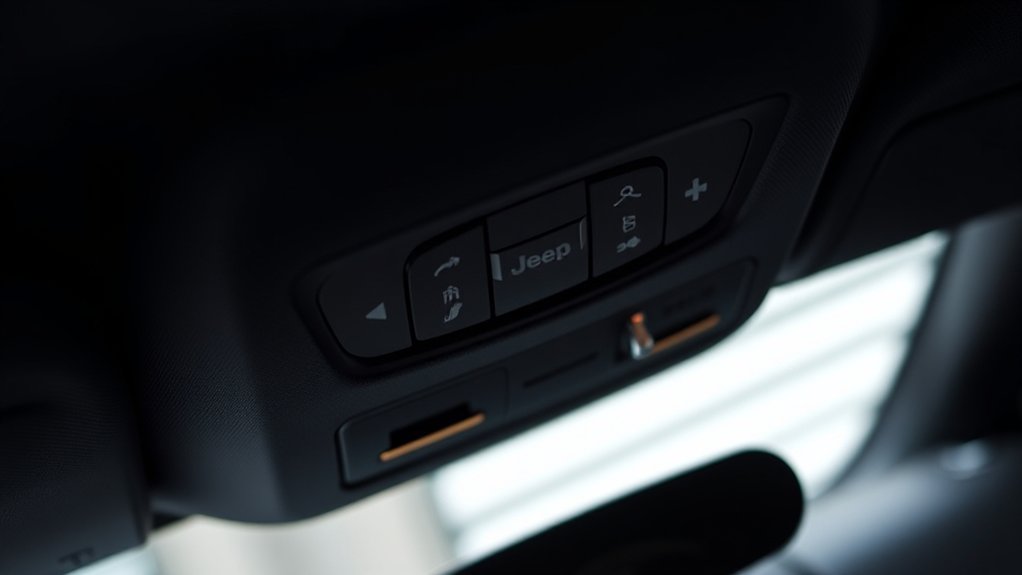
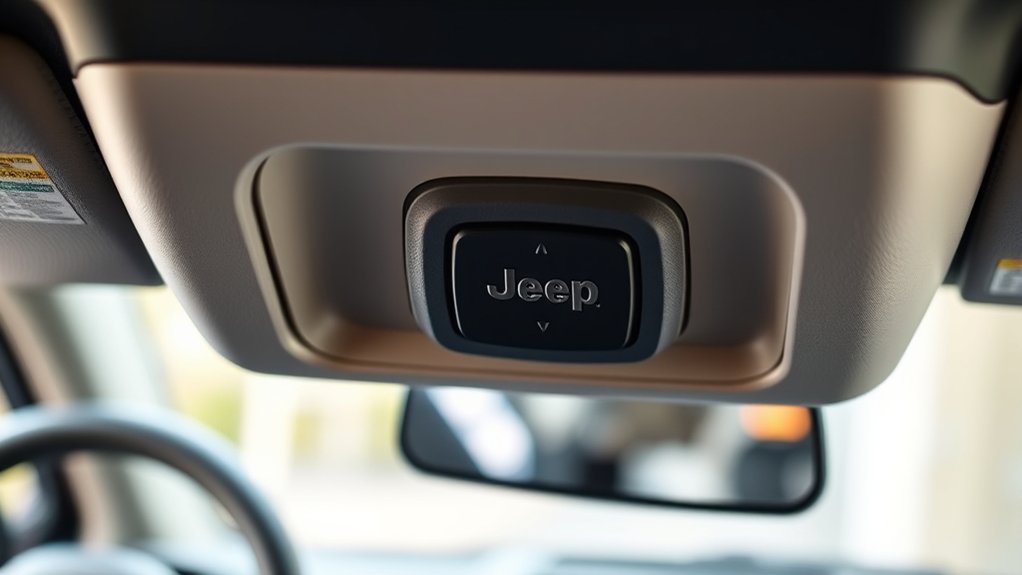
Have you ever wondered how the Jeep garage door opener system works? Known as the HomeLink system, it replaces traditional remotes by embedding buttons into your vehicle’s interior, like the visor or overhead console.
It’s compatible with garage door openers made after 1993 within the 288 to 433 MHz range. The system offers convenient control over up to three doors or devices.
HomeLink uses rolling codes, which change with each button press, to boost security and prevent unauthorized access. When you press a button, it transmits an encrypted signal that’s difficult to intercept, making your garage safer.
This technology simplifies access by eliminating the need for multiple remotes while maintaining high security through its rolling code feature.
Preparing Your Vehicle and Garage for Easy Programming
Start by parking your Jeep outside the garage with the engine running. This helps ensure good signal strength during programming.
Next, clear any existing HomeLink codes to avoid interference. Make sure your garage area is free of obstructions and people.
Finally, verify that your garage door opener is compatible with your Jeep’s system before you begin.
Ensure Vehicle Is On
Is your vehicle prepared for programming? To ensure success, keep the engine running. This helps maximize the remote signal strength and keeps communication with the garage door opener steady.
It’s also best to park outside the garage to avoid interference from interior electronics, which can disrupt the process. Before you start, make sure your remote’s batteries are fresh and working properly.
Find the garage door motor’s Learn or Smart button so you’re ready for the next steps. Remember to put your vehicle in “Park” with the parking brake engaged to prevent accidental door activation.
Properly preparing your engine and parking position helps ensure smooth communication between your vehicle and the garage opener.
Clear Existing Codes
Before programming your Jeep garage door opener, it’s important to clear any existing codes from both your vehicle’s HomeLink system and the garage door opener itself. To clear HomeLink codes, press and hold the two outer buttons until the indicator light blinks slowly, which usually takes about 20 seconds. This will erase previous signals and reset the system.
For the garage door opener, locate the learn or smart button on the motor unit. Press and hold it until the light turns off or blinks, which clears stored remote codes. It’s also a good idea to temporarily disconnect the garage door opener’s power source to ensure all previous remote signals are fully erased.
Lastly, make sure no other remotes are active and that the system is in its default state. This will help make the programming process smoother and more straightforward.
Prepare Garage Area
Preparing your garage area properly can make the programming process much smoother and more successful. To ensure your Jeep’s garage door opener pairs correctly, follow these steps:
- Park your Jeep outside the garage with the engine running. This helps maximize signal strength during programming.
- Keep your existing garage remote nearby and replace its batteries to ensure reliable operation.
- Locate the garage door opener’s Learn or Smart button on the motor unit before starting.
- Clear any previous HomeLink or remote codes from the system. This prevents interference with the new programming.
Also, make sure the garage area is free of obstructions and people. This reduces the risk of accidental door activation. Proper preparation makes programming your garage door opener quick, safe, and easy.
Identify Your Garage Door Opener Type (Rolling or Fixed Code)
To figure out if your garage door opener uses a rolling or fixed code, start by checking the motor unit. Look for a “Learn” or “Smart” button, which means it’s a rolling code system.
Garage door openers made after 1995 usually use rolling code technology, which creates a new code each time for better security. Older models often use fixed codes, sending the same signal repeatedly.
Garage door openers after 1995 typically use rolling codes for enhanced security.
Fixed code openers are easier to program but less secure. If you see the learn button, you’ll need to press it during setup to sync your devices.
Knowing whether your opener uses a rolling or fixed code helps you pick the right programming method and ensures your Jeep garage door opener works smoothly.
Step-By-Step: How to Program Your Jeep Garage Door Opener With Homelink
Programming your Jeep garage door opener with Homelink is pretty simple, but make sure you have fresh batteries in your remote and that your vehicle is turned on. Just follow these steps:
Hold your garage door remote 3 to 8 inches from the HomeLink button you want to program. Press and hold both until the indicator light changes.
If your garage door uses a fixed code, wait until the light turns solid. Then, press the garage door’s learn or smart button. For rolling-code systems, you’ll need to do a few extra steps.
Press and hold the remote button and the HomeLink button together for about 2 seconds. Release, then repeat if needed.
Before finishing, test the programmed HomeLink outside the garage to make sure it opens and closes smoothly.
Using HomeLink and Vehicle Controls to Set Up Your Garage Door
Using your vehicle’s built-in controls along with HomeLink can make setting up your garage door opener much easier.
To program it, press and hold the HomeLink button you want to use while holding your garage remote close to the dashboard.
Press both buttons at the same time until the indicator light changes, showing it’s working.
If you have a rolling code garage door opener, press the garage door’s learn or smart button first, then press the HomeLink button.
Hold both the vehicle’s HomeLink button and the garage remote button together for 3-8 seconds until the light flashes steadily—that means they’re paired successfully.
If this doesn’t work, use the manual learn button on your garage door opener and follow specific instructions for rolling or fixed code systems.
Always test outside the vehicle first to make sure everything works reliably before finishing up.
Troubleshooting Common Programming Issues and How to Fix Them
Sometimes, even if you follow the steps correctly, your Homelink system might not pair with your garage door opener. Troubleshooting common issues can help get it working.
Even with correct steps, Homelink may not pair; troubleshooting can often resolve the issue.
First, make sure your vehicle is turned on during programming. This ensures there’s enough power for the system to communicate properly.
Next, check if your garage door opener uses rolling code technology. If it does, you’ll need to follow specific steps, like pressing the learn button on the opener first.
Also, it’s a good idea to clear all previously programmed codes from both Homelink and your garage door opener. This prevents any interference from old codes.
Keep the remote or opener close to the Homelink button, usually within 3 to 8 inches. Press both at the same time, and if it doesn’t work, try again, adjusting the distance or angle.
Alternative Methods for Garage Door Programming When Standard Steps Fail
If the standard programming steps don’t work, try setting it up manually. Hold down the HomeLink button while pressing the garage door’s learn button until the indicator flashes.
You can also use an external remote to help reprogram the system if needed. Sometimes, reprogramming the garage system itself or checking the manual can be the fix when nothing else works.
Manual Garage Door Setup
When standard programming methods don’t work, manually setting up your Jeep’s garage door opener can be a good alternative. To do this, you’ll need the HomeLink system and the learn button on your garage door opener.
Here’s how to do it:
First, press and hold the HomeLink button for about 20 seconds until the indicator light flashes slowly. This means it’s in programming mode.
Next, locate your garage door’s learn or smart button, press and release it.
Immediately after, press and hold the HomeLink button until the light flashes rapidly.
For some systems, you might need to press the remote or manual button on your garage door opener while holding the HomeLink button. Make sure the area is clear, and your vehicle is on for the best results.
Using External Remote
Having trouble getting your Jeep’s garage door opener to work after trying the standard programming steps? Using an external remote can help. Hold your remote close to the Homelink buttons and press both at the same time until the indicator light changes.
If that doesn’t work, press and hold the garage door’s learn or smart button. Then, within 30 seconds, press and hold the Homelink button until the light changes, confirming the pairing. For rolling code systems, after pressing the learn button, press and hold the Homelink button for about 2 seconds, then release and repeat if needed.
When programming without the original remote, activate the garage door’s learn button manually. Then quickly press and hold the desired Homelink button. This helps establish a connection even if the remote isn’t available.
Reprogramming Garage System
If standard programming methods don’t work, reprogramming your garage system with alternative approaches can often fix the problem. Start by clearing all existing codes from your garage door opener to reset the learning process.
Then, follow these steps:
- Press the garage door opener’s learn or smart button to activate pairing mode.
- Hold the Jeep Homelink button for 20 seconds to reset it.
- During reprogramming, press and hold the Jeep Homelink button while pressing the garage door remote until the indicator light changes.
- For rolling code openers, press the garage door’s learn button, then within 30 seconds, press and hold the Jeep Homelink button twice for 2 seconds each.
If issues continue, check your garage door opener’s manual for specific instructions or compatibility advice.
Testing Your Garage Door Opener and Final Tips
To guarantee your Jeep garage door opener works properly, it’s essential to test it thoroughly after programming. Start by pressing the HomeLink button from outside the vehicle to verify the garage responds correctly.
Test your Jeep garage door opener outside the vehicle to ensure it responds correctly after programming.
Next, drive away slowly from your garage and press the button again to confirm the remote’s range, which can exceed 120 feet with the right antenna placement. If the door doesn’t respond, double-check sensor alignment and LED indicators, and consider reprogramming if necessary.
Make sure the garage door’s antenna is positioned correctly and isn’t obstructed to maximize signal strength. For the best performance, reset the HomeLink system and clear previous codes before reprogramming.
Testing your system helps confirm your programming was successful and ensures reliable operation at all times.
Frequently Asked Questions
How Do I Pair My Jeep to My Garage Door Opener?
To pair your Jeep with your garage door opener, start by holding the HomeLink button until it flashes slowly.
Next, press and hold both the HomeLink button and your garage remote at the same time until the light flashes rapidly.
For rolling code systems, press the garage door’s learn button first. Then, within 30 seconds, press the HomeLink button three times.
Finally, test the setup by pressing the HomeLink button to see if the garage opens.
How to Connect a Jeep to a Car Garage?
Connecting your Jeep to a garage is like unlocking a secret door to convenience. Find the HomeLink buttons inside your vehicle, usually near the media console or on the visor.
Make sure your garage opener is compatible—post-1993 models with rolling codes work best. Hold your garage remote close and press both buttons until the indicator flashes.
Then, press the learn button on your garage door. Test it outside to ensure everything works smoothly, and you’re all set!
Where Is the Learn Button Located?
You’ll find the learn button on your Jeep garage door opener near the motor unit, often close to the antenna or on the side or back panel.
It’s typically a small, rectangular or round button labeled “Learn,” “Smart,” or “Program.” Sometimes, it’s recessed and needs a paperclip to press.
If you can’t locate it, check your owner’s manual or look behind a removable cover for easy access.
Does the 2020 Jeep Grand Cherokee Have Buttons to Program the Garage Door Opener?
Yes, the 2020 Jeep Grand Cherokee does have buttons to program your garage door opener. These built-in HomeLink buttons are usually located in the overhead console or on the visor.
Check carefully because not all trims include them. Once you find these controls, you’ll be able to easily program your garage doors.
This eliminates the need for external remotes and makes your driving experience more convenient.
Conclusion
Once you’ve successfully programmed your Jeep garage door opener, using it becomes a breeze. It’s as simple as flipping a switch and watching your garage open effortlessly.
Just like a well-rehearsed dance, your vehicle and garage work together seamlessly, bringing you convenience and peace of mind.
Remember, patience and carefully following each step are key. If one method doesn’t work, don’t worry—there’s always an alternative to try.
With a little effort, opening and closing your garage will feel as natural as breathing, making your daily routine smoother.